New Bullet R1 Firmware
This guide walks you through the Bullet R1 firmware breaking-change update so you can get back to roasting as quickly as possible.
Windows
Manually uninstall the driver
Bullet R1 firmware v626 and above requires a Serial Port connection for stable communication. If you prefer not to update RoasTime, you can manually uninstall the old driver instead:
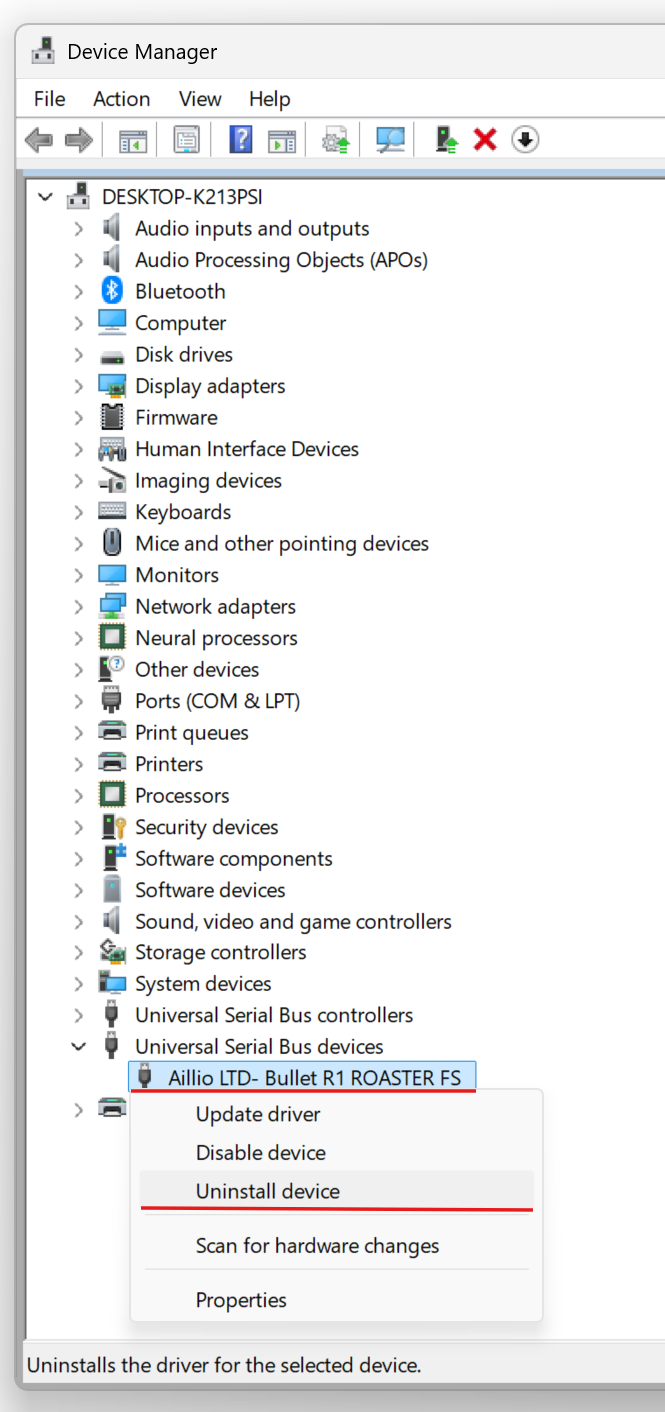
- Open Device Manager, locate the Aillio LTD- Bullet R1 ROASTER FS driver, right-click it, and select Uninstall device.
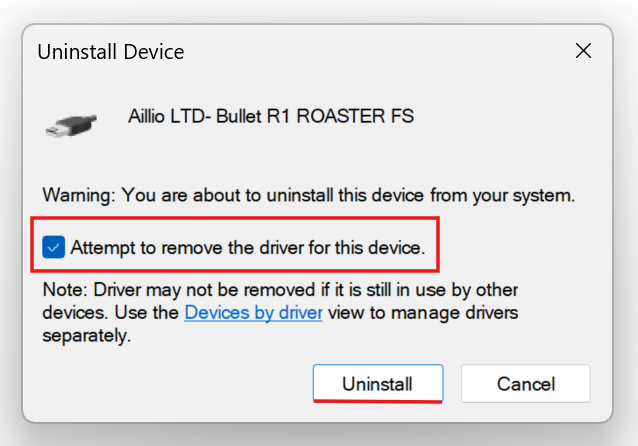
- Check the
Attempt to remove the driver for this deviceoption, then click Uninstall.
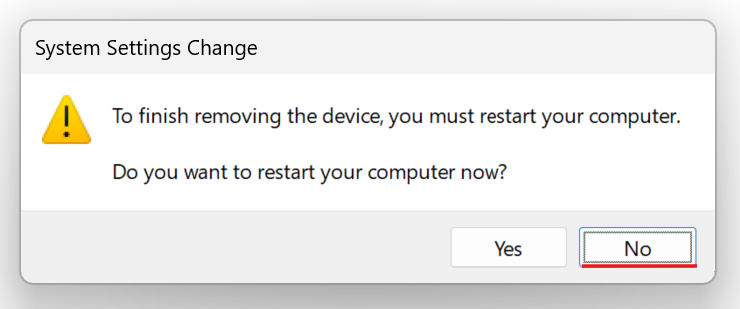
- There is no need to restart your computer. Simply reconnect the roaster and RoasTime will automatically detect the new driver — you're ready to roast again.